Engineered for Total Control
Vaultli is not a one-size-fits-all spreadsheet. It adapts to exactly what you collect and own, with deep analytics, careful organization and full ownership of your data.
Pristine Media & Documentation
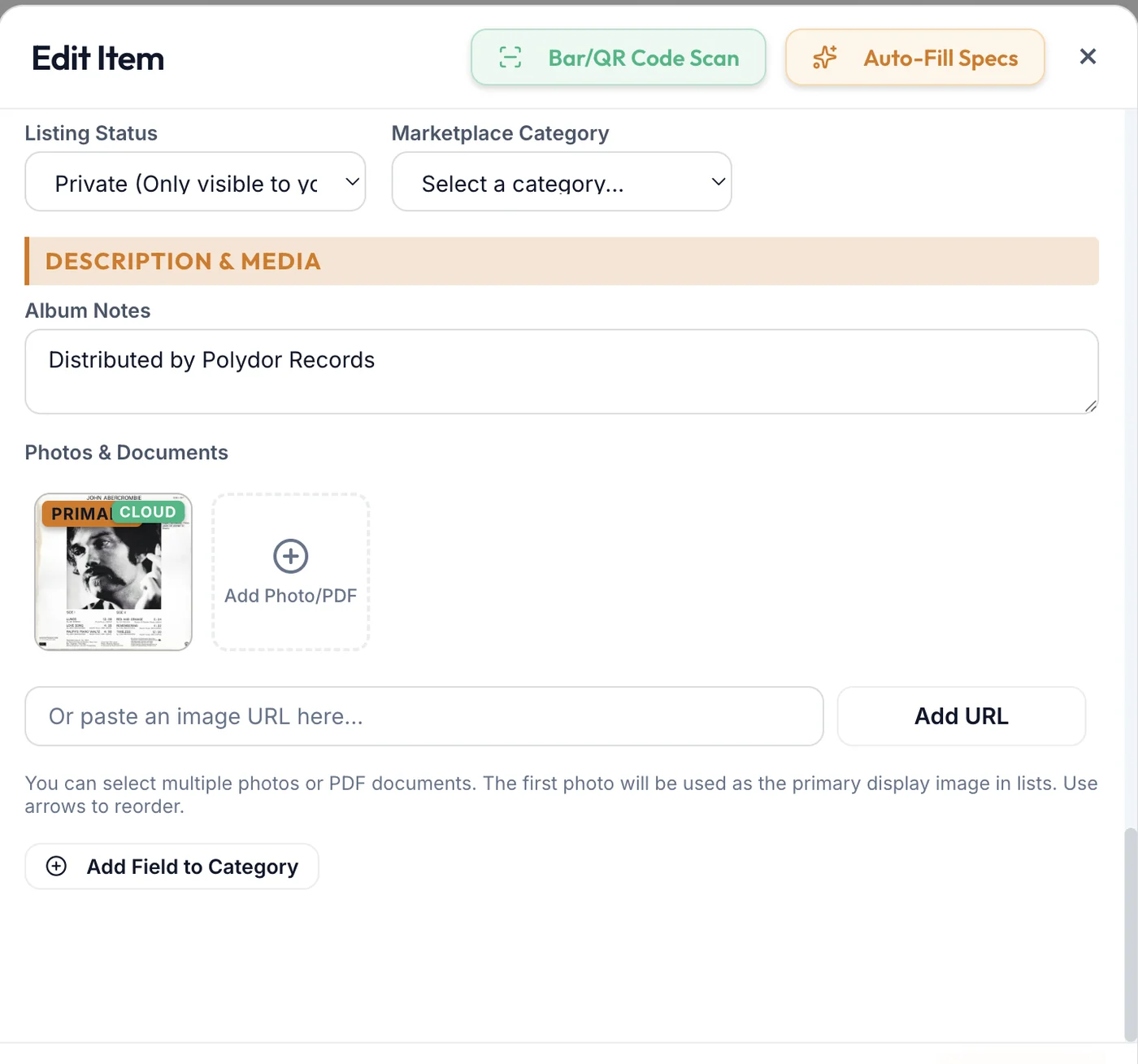
Upload hi-res photos and read manuals, receipts and appraisals with the built-in PDF viewer. Attachments keep their original file names, and you can drag and drop receipts straight onto an entry.
Financial Lifecycle Tracking
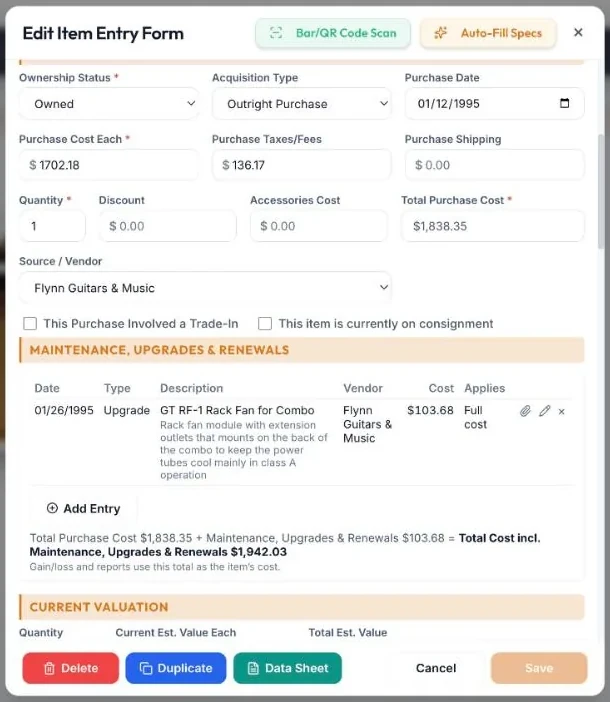
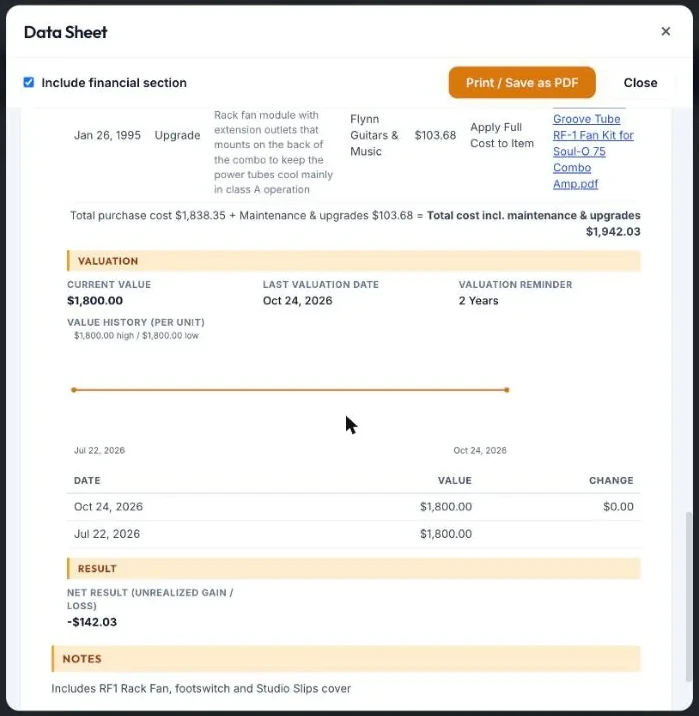
Track gains and losses, log condition grading, and follow the financial journey of an item from purchase to sale. Value History keeps a dated record of every revaluation so you can show how worth changed over time.
Insurance Policies & Coverage Check
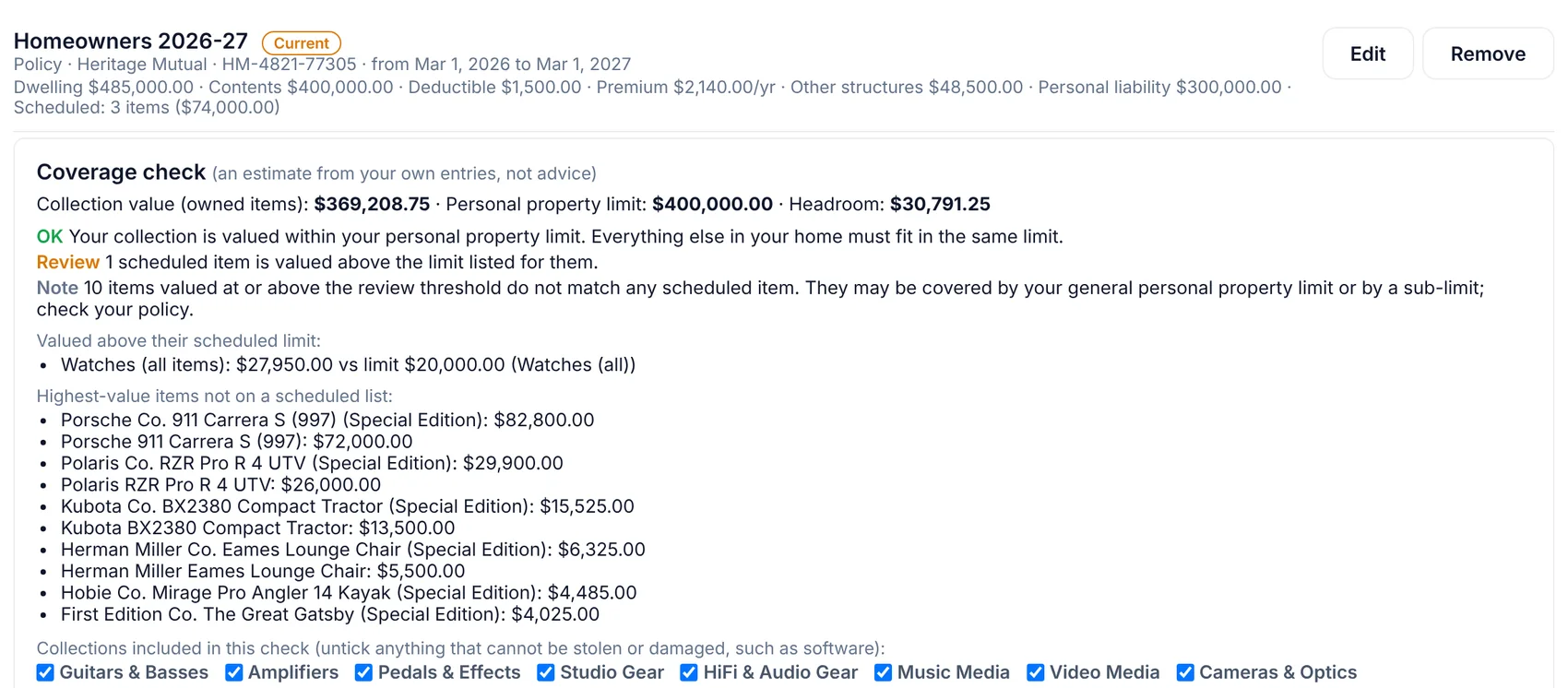
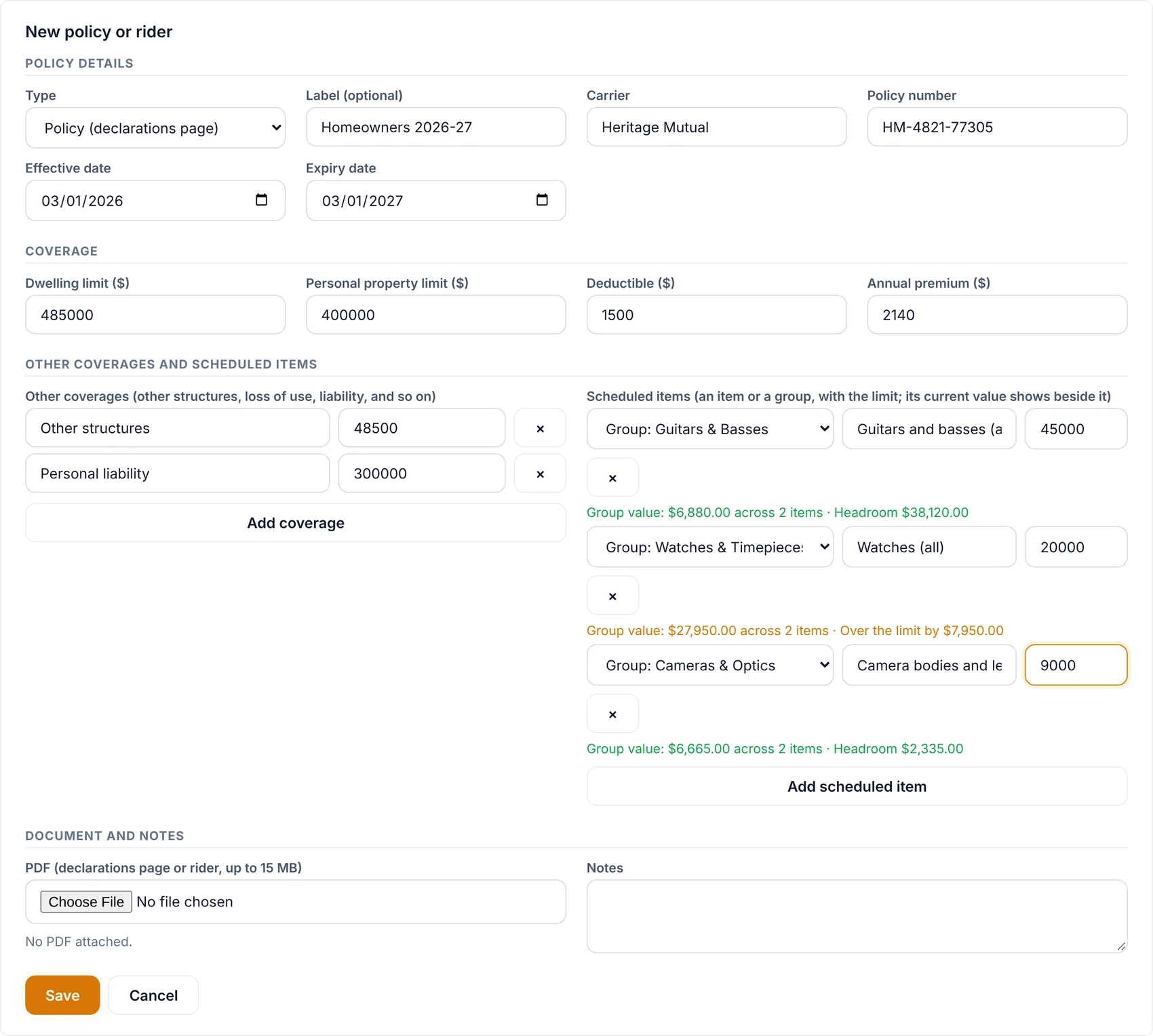
Keep each policy with its carrier, dates and a private PDF, then see how it lines up with what you own. The Coverage Check compares your insured values to your current item values and points out items that are not covered, or covered for too little.
Maintenance, Upgrades & Renewals
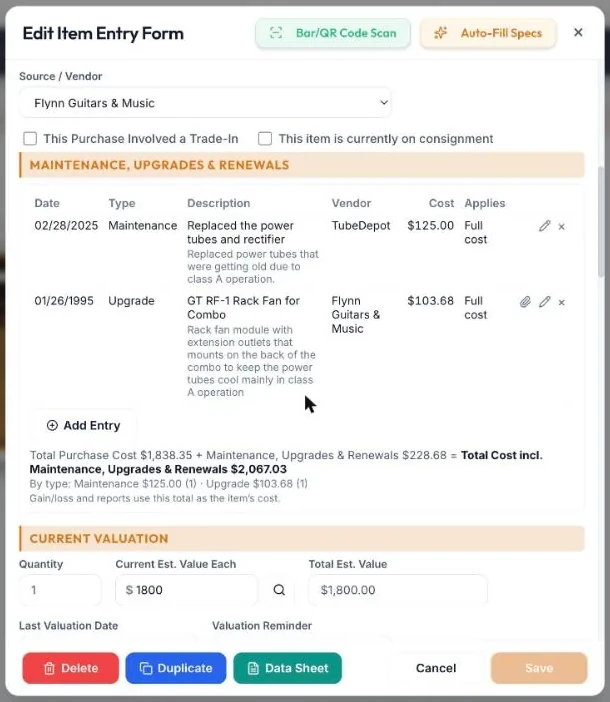
Log every repair, upgrade and renewal against the item it belongs to. Tag each entry by type, attach the receipt, and choose whether its cost counts toward what the item cost you. Subtotals by type show where the money went.
Subscriptions
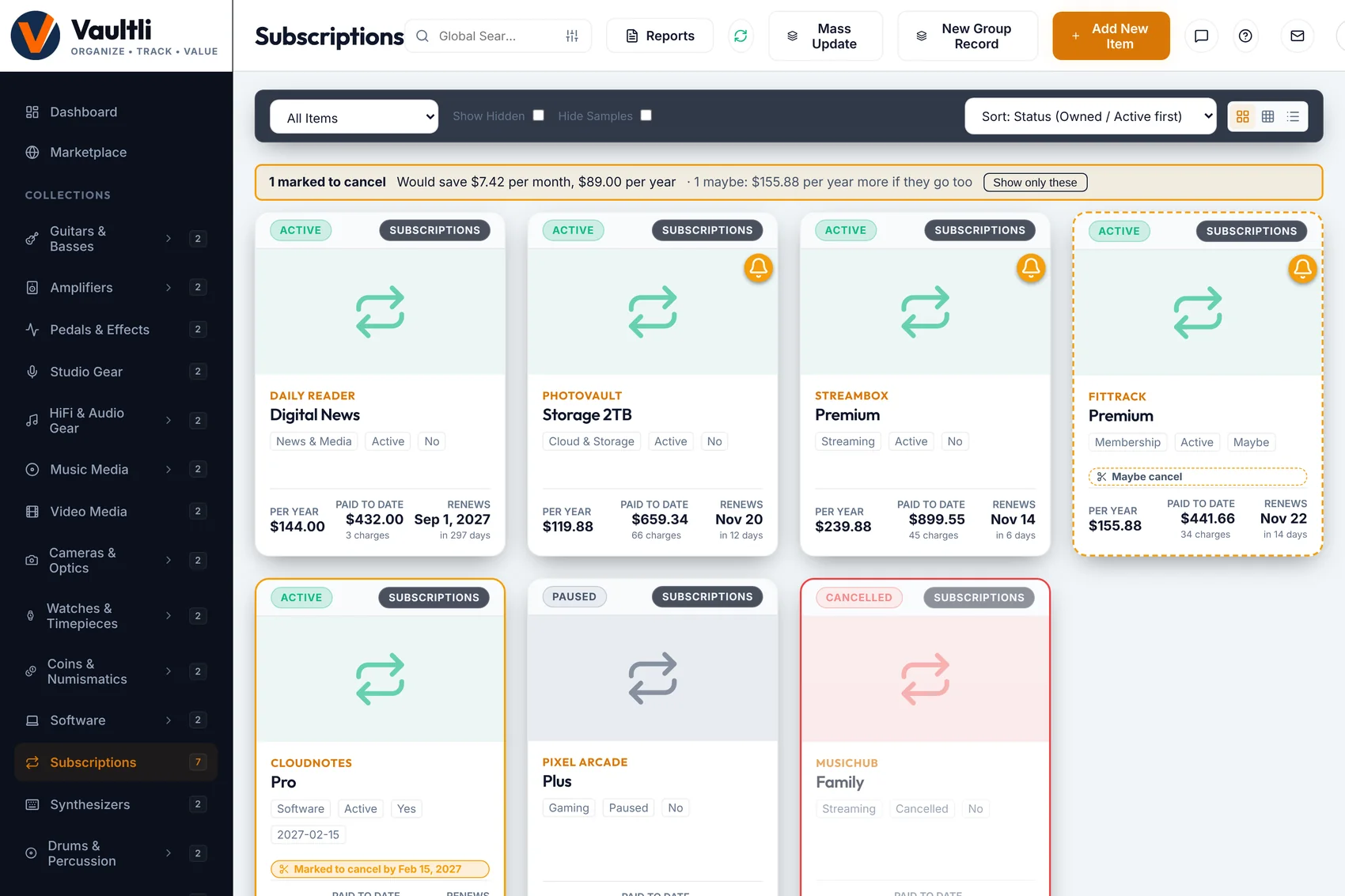
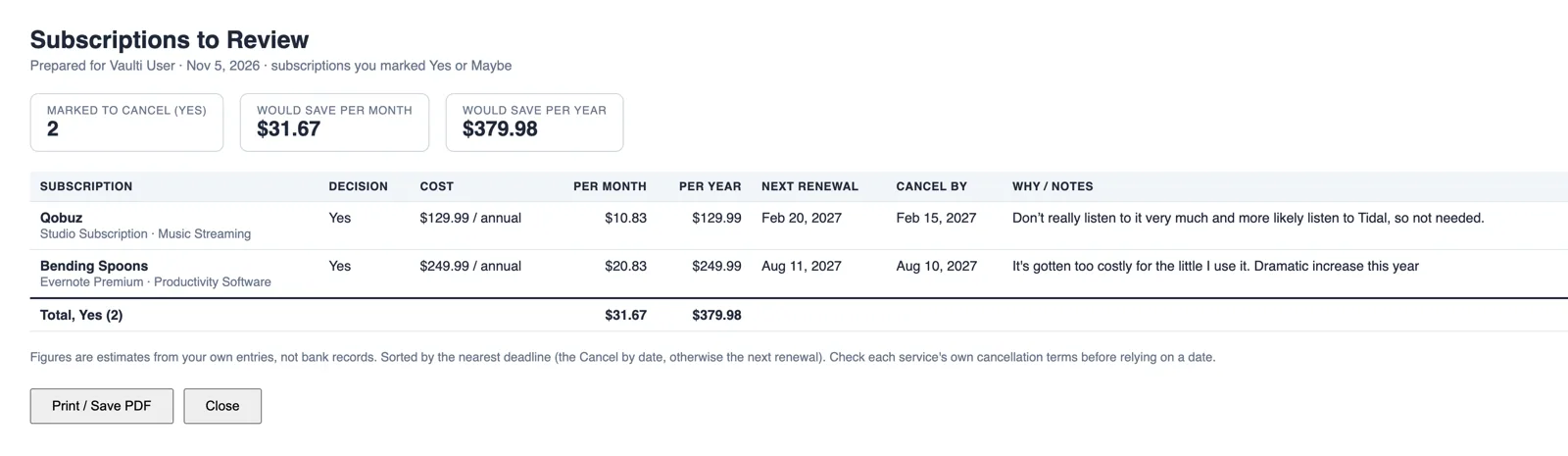
Track what you pay for streaming, software and memberships, with billing cycle, renewal date and price history. Mark the ones you may cancel as Yes or Maybe and see the savings, then print a review list. Cancelled and paused subscriptions are greyed out and clearly labelled, and Active ones sort first with the Status sort.
Data Sheet
Print a clean one-page sheet for any item with its details, photos, financial history and maintenance log. Use it for insurance, estate planning or a sale. Fields you do not use are left off.
Layouts Built Your Way
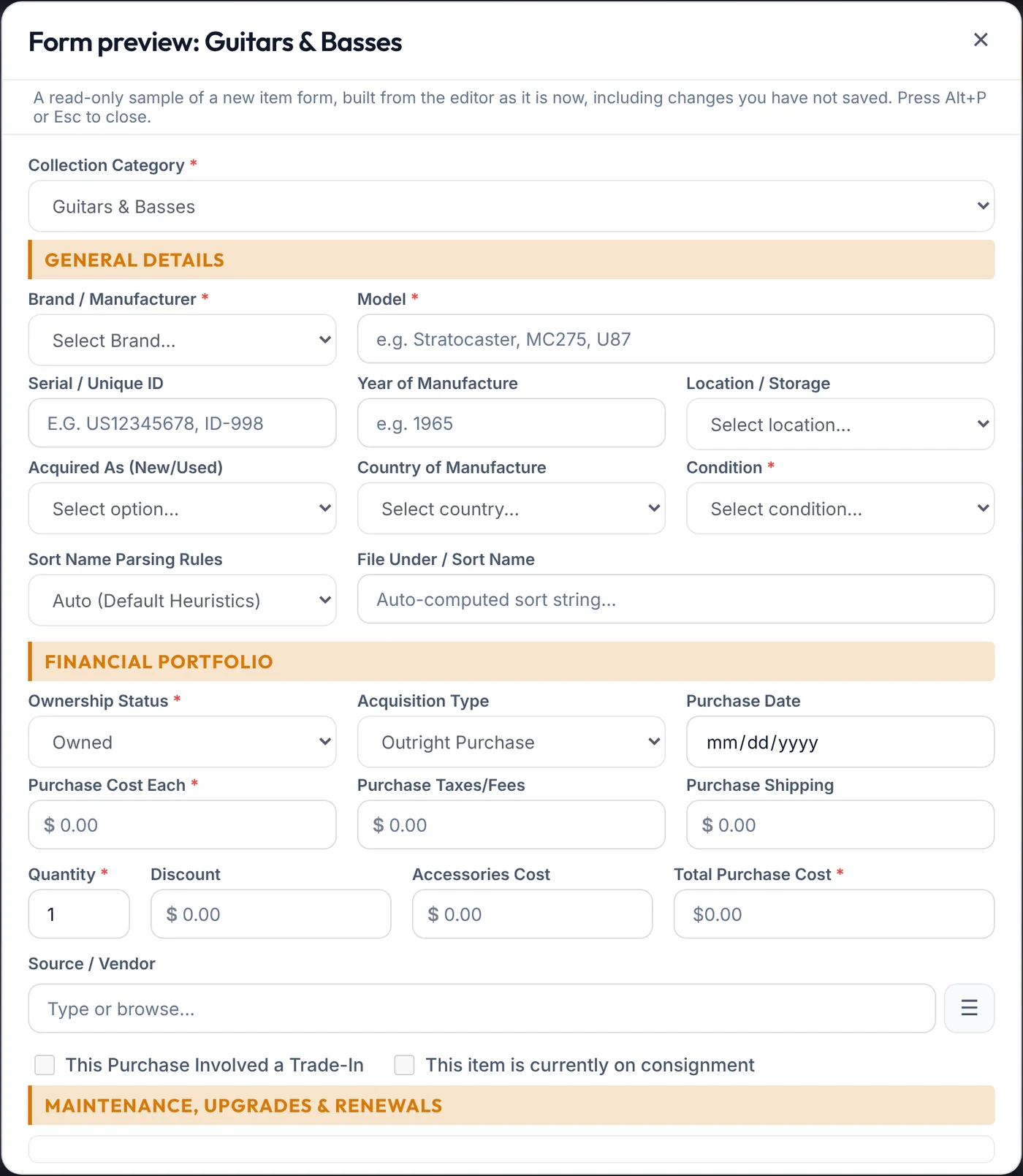
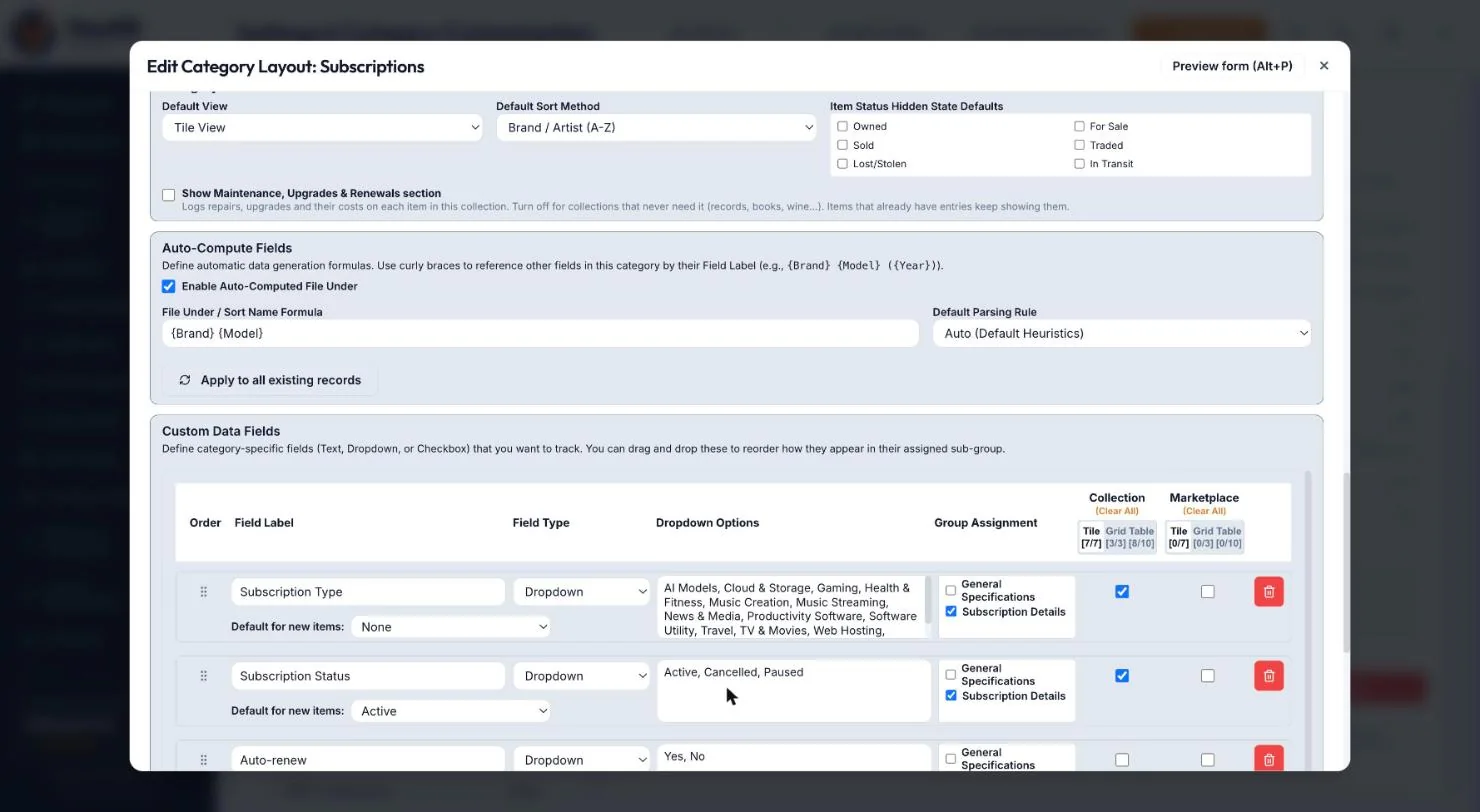
Choose which fields each collection uses, add your own, set default values for dropdowns, and use the orange Form Layout Preview button (or Alt+P) to see the finished form before saving. Each collection can also have its own default sort, including by Status. New collections start with empty lists, so only your own brands and sources appear.
Autofill with Sources You Can See
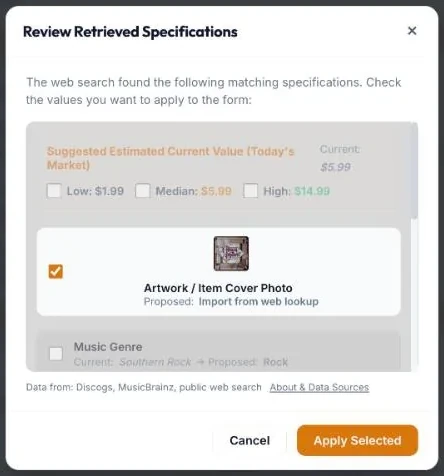
Lookups for music, movies, books and more suggest the details for you to review and apply. Each result shows where its data came from, and nothing changes until you approve it.
Backup with Files
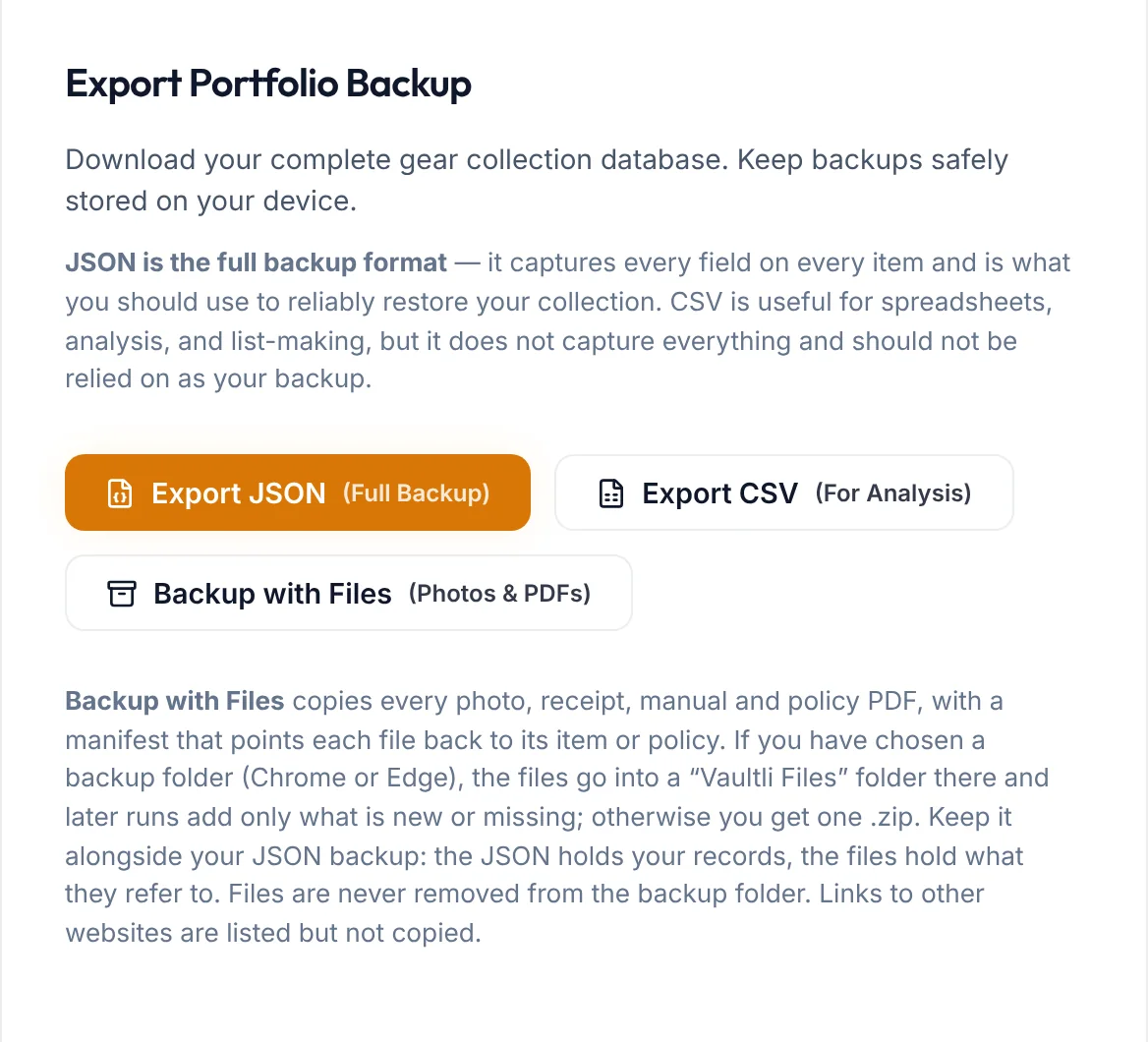
Your data backup now has a companion that saves every photo and PDF too. Pick a folder on your computer and later backups copy only what is new or changed, so the second run takes seconds. Each file keeps a pointer back to its record.
Enterprise Data Operations
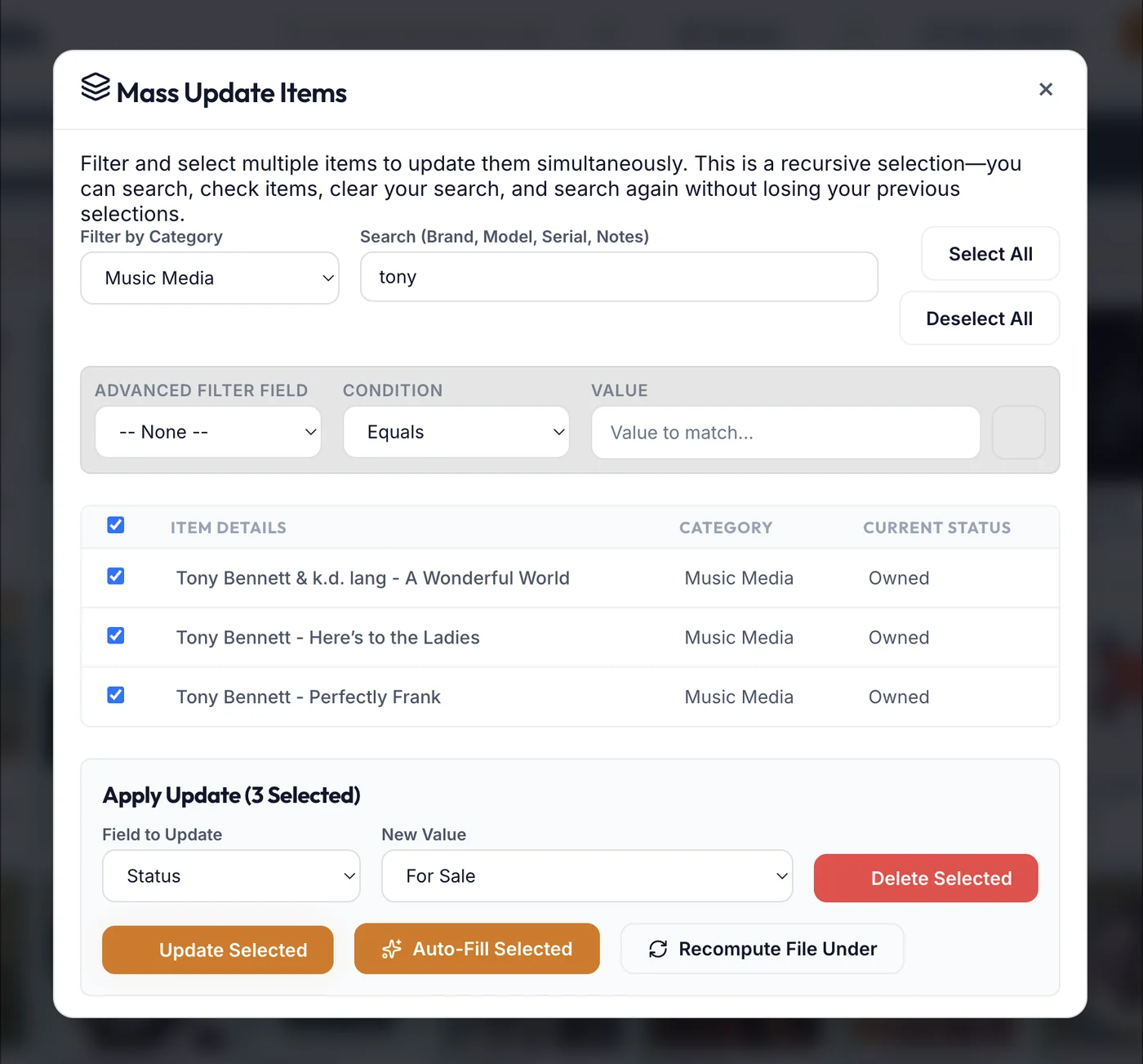
Replace or purge outdated values across your whole database in one step with Mass Update. Back up first and restore from a file. Clear out a collection's items with a typed confirmation, a required backup and a 30-day safety window.
Start building your Vault today.
Join the open beta and experience the ultimate collection manager.
Create Free Account